Problem Statement:
When clients visit to view aerospace products, sales representatives often face difficulties presenting and explaining complex specifications and critical features. This challenge can lead to a lack of understanding on the client’s part, potentially affecting their ability to appreciate the product’s value and make informed decisions.
To showcase aerospace products using AR technology.
To display product specifications and criticality such as pipe connections, taper measurements, and drill sizes of the products in AR.
Product details: Ensuring accurate and precise representation of complex aerospace product details in AR.
Product renders: Creating different materials to accurately represent the various components and finishes of the products.
Security: Ensuring to secure the links of the AR experience.
During our field study at Godrej’s Plant 4A, we aimed to understand the challenges they are facing and to learn more about their products. We observed two products, the Drainmast [Fig. 001] and the Control Manifold [Fig. 001]. I was tasked with creating an AR experience for these products.
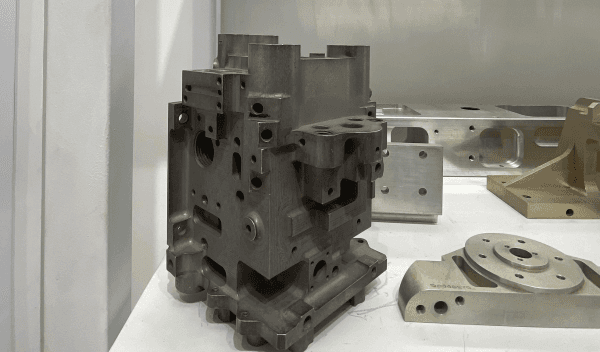
Control Manifold
Install the Figma plugin and you’re ready to convert your designs to a responsive site.
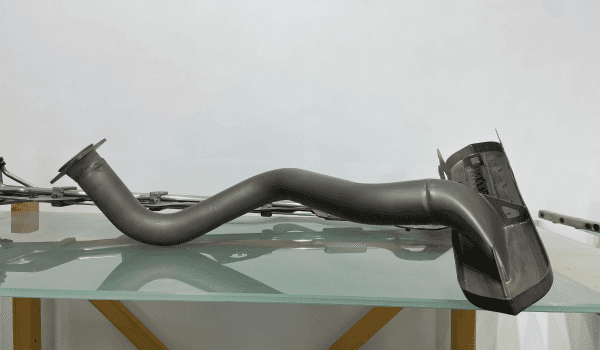
Drainmast
Browse dozens of professionally designed templates. Click, duplicate, customize.
After converting the CAD models to glTF (.glb) files, we moved on to Blender for further refinement. In Blender, we performed retopology on the models to correct and optimize the meshes, ensuring they were suitable for real-time rendering and application in the AR experience. During this process, we also focused on creating appropriate materials for the models. To enhance the visual clarity and understanding of the products, we differentiated the internal and external parts by applying two distinct texture materials. This distinction helps to highlight the unique features and components of each product in the AR environment.
3D Models


3D Models with textures
UI of the Experience:
After working on the 3D models, I designed the user interface (UI) screens in Figma. This included creating information panels, buttons, and tables to display relevant details about the products. These UI elements were designed to provide users with an intuitive and engaging experience, making it easy to access and understand the information presented in the AR environment.




Security
To further enhance the security of the AR experience, I added a password-protected pathway using HTML and CSS Fig no. 8. This pathway requires the plant’s admin to log in, ensuring that only authorized personnel can access the AR content. The login interface is designed to be user-friendly while maintaining high security standards. This additional layer of protection helps safeguard the sensitive information and technology associated with the experience, especially given the collaboration with government firms like ISRO and DRDO.

HTML/CSS
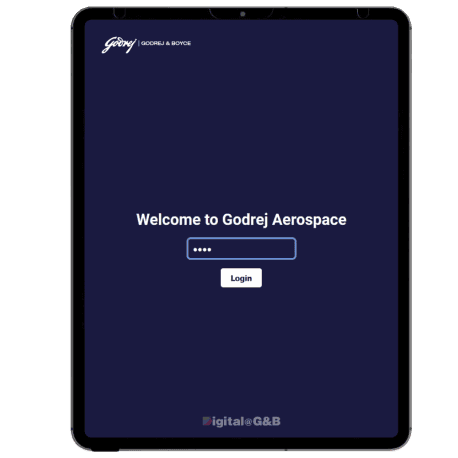
Login Page

Dash Board
Results:
After implementing the security measures, the admin now logs into a password- protected pathway to access the catalog and AR experience. This setup ensures that only authorized personnel can view and interact with the content, maintaining security and confidentiality.
Control Manifold
Install the Figma plugin and you’re ready to convert your designs to a responsive site.
Drainmast
Browse dozens of professionally designed templates. Click, duplicate, customize.
XR.io
Hi, I’m Juben Basumatay, currently pursuing my Master’s in XR Design at IIT Jodhpur.
Projects
Links
Contact